Start with the original list, not a new camera roll
A repair visit answers a different question from the first inspection: what happened to the issues already recorded? Bring the issued report, original photos, agreed actions and relevant replies from the builder.
Arrange access and work through the open references one by one. Keep a new issue separate from an existing issue that has not been resolved. “The builder says it is complete” and “I checked it and it appears resolved” are different statements.
Photograph the same place again
Use the original photograph to find the position. Take a new image from a similar angle and distance, with enough context to identify the item. Keep the earlier image, even if the repair looks good.
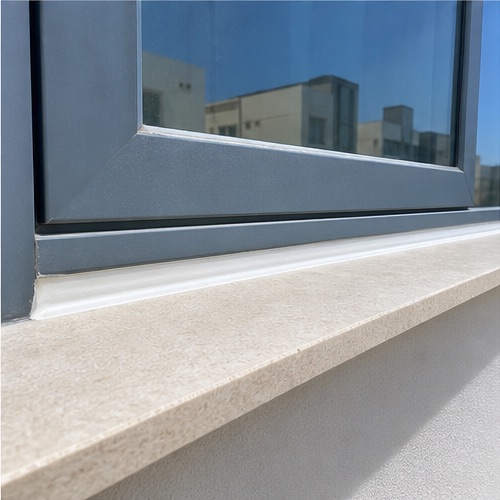
Compare the visible result with the agreed action. Record what you checked and the date. A surface photo cannot establish concealed-work quality or certify electrical, gas, structural or waterproofing safety. Ask a qualified professional for specialist assessment.
Example follow-up note“Living room window, item 02: the previously visible gap is now sealed. Viewed from the accessible internal position on [date]. Completion photograph attached. No concealed-work or weather-resistance testing undertaken.”
Choose the outcome that matches the visit
- Fixed: you checked the item within your stated scope and consider the recorded issue resolved. In SnagAction, attach a completion photograph before closing it.
- Still defective: the issue remains, or the visible result does not satisfy the agreed action. Describe what is outstanding and add evidence.
- Unable to inspect: you tried, but access or another limitation prevented the check. State what is needed for a future check.
- Not attempted: you did not check the item during this visit. Do not treat it as fixed.
A follow-up visit can resolve some items while others remain open. Marking a room’s capture stage complete does not mean every snag in that room has been repaired.
A close-out report can still contain open issues
Record an outcome for every open snag in the reinspection round. Check that Fixed items have completion evidence. Review and issue the new report version, retaining the original as part of the history.
Share the updated PDF with a summary: which items are fixed, which remain unresolved and which could not be checked. Use the permanent references when agreeing next actions and dates.
If items remain open, plan another visit rather than describing the property as fully resolved. When every recorded item has been verified fixed within the inspection scope, the report can document that result. It is not a certificate covering every possible defect or overall building safety.
In SnagAction, return to the issued property report, start reinspection, record outcomes and completion photos, review the close-out report and issue it. Initial and later close-out reports are covered by the property’s €15 credit. Another property requires another credit.
For new issues use the defect-reporting guide, or use the handover checklist for a first visit.
Know the limits of a home checklist
This guide helps you record visible conditions. It is not a structural survey, safety certificate or legal assessment, and does not set warranty deadlines or determine liability. Follow your own contract and local professional advice. Do not open electrical equipment, climb to unsafe areas or test anything you are unsure about.
For background, see RICS’s explanation of snagging. Its UK context does not establish local rights or requirements.
See your own notes become a snag report.
Add up to three snags with your own photos and observations. No account or card required. The preview stays in your browser; saving a cloud project and issuing the full PDF require a plan.
Create your own report previewNeed room-by-room guidance? Or explore snagging report software for inspectors.
Paid access includes one property’s notes, photos, initial report and later close-out revisions. €15 once per property. Compare plans.